Skip to content
Become a Partner
Contact Us
Login
Scan to Compute
Coming Soon...
Instructions
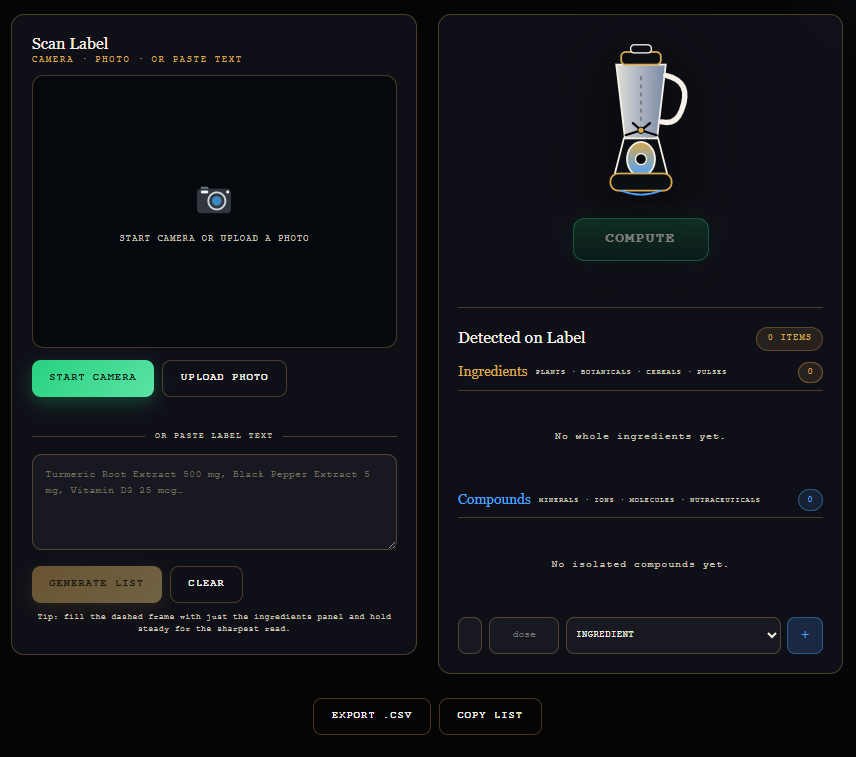
Scan or Upload – Click START CAMERA to scan a product label, or UPLOAD PHOTO to select a label image.
Paste Text – You can also paste the ingredient/label text into the text box.
Generate List – Click GENERATE LIST to extract and organize the ingredients and compounds.
Compute – Click COMPUTE to process the detected ingredients and identify relevant compounds.
Review Results – Check the Detected on Label section for ingredients and compounds identified by the tool.
Edit if Needed – Use the + button to manually add an ingredient or compound.
Export or Copy – Click EXPORT .CSV to save the results or COPY LIST to copy them.
Tip: For best results, provide a clear, readable label image or paste the complete ingredient list.
Beta Release Sign Up
Submit the Form Below to Receive Early Access to Gods.com
Please enable JavaScript in your browser to complete this form.
Please enable JavaScript in your browser to complete this form.
Name Name Last
First Name
Last Name
Email
*
Submit
×